
← Back to all projects
AI VIDEO / CASE STUDY 04

One character.
Many perspectives.
Now in motion.

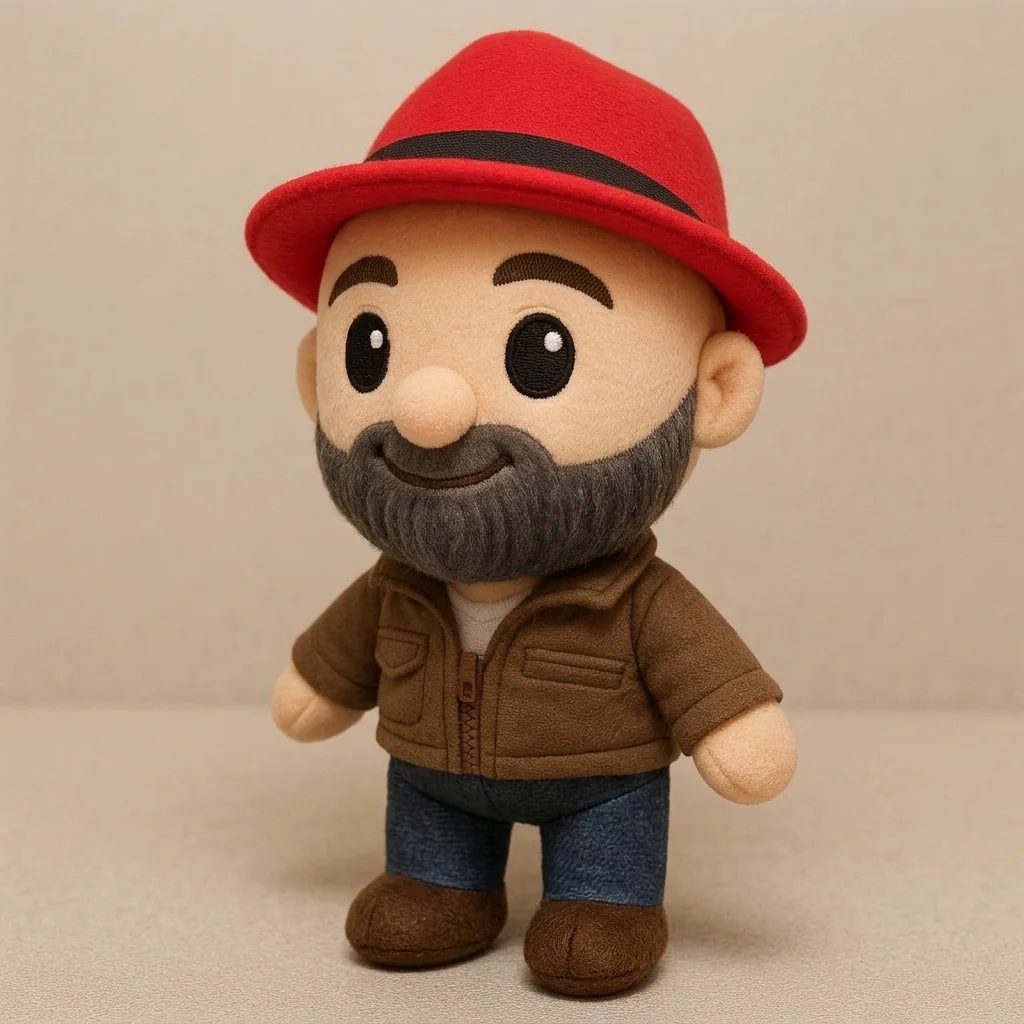
For a children's educational video, I developed a friendly plush character named Fobo based on my own portrait. ChatGPT helped with images, variants and the script. Google Flow was used to create two short animations, including one in which Fobo speaks directly to the camera using my own voice.

05 CHARACTER VIEWS02 GENERATED CLIPS01 OWN VOICE
Fobo, a standing plush character with a red hat, dark beard, brown jacket and jeans
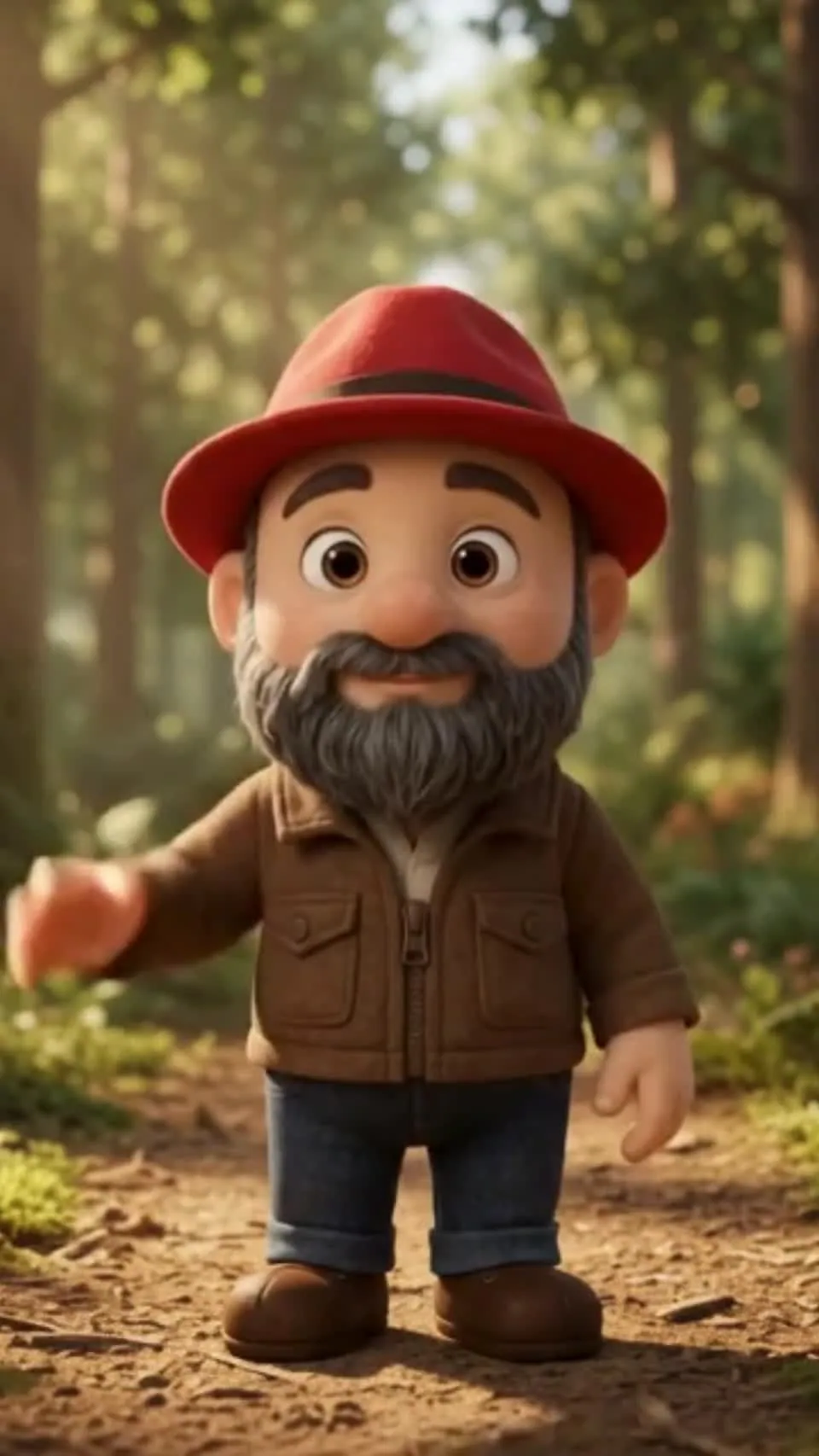
Fobo speaking directly to the camera in an animated forest
FROM PORTRAIT
TO CHARACTER ↗
CHARACTER DESIGN / AI VIDEO / VOICE
PORTRAIT AS REFERENCE✳CHATGPT / IMAGES & SCRIPT✳GOOGLE FLOW / ANIMATION✳MY OWN VOICE
01 / THE IDEA

An original character.
For explanations that engage.

How can you design a recognisable character for use in different scenes of a children's educational video? My idea was a friendly plush character with distinctive details – a red hat, beard and brown jacket.

I used my own portrait as a visual reference. The portrait itself is not shown here. I developed several perspectives and a script with ChatGPT before animating the character in Google Flow.

Project status: Prototype

This case study shows a character concept and two short video sequences, not a finished children's educational video.

02 / CHARACTER DESIGN

One character.
Five viewpoints.

To prepare the character for future scenes, I generated standing and seated poses, side views and a rear view. The images share a visual style, although minor differences between viewpoints may remain.

03 / THE ANIMATIONS

From still image
to animated character.

Two eight-second Google Flow clips: a moving scene in a textile fantasy world and an animated address to the camera. Both can be played directly.

01 / MOVEMENT 08 SEC · LANDSCAPE

Fobo explores a new world.

The character moves through a playful landscape of fabric, felt and embroidery. This clip demonstrates how a single character image can become its own animated scene.

GOOGLE FLOW · VIDEO ANIMATION
02 / SPEAKING 08 SEC · PORTRAIT

“I'm Fobo.”

Here the animated character speaks directly to the camera. The sequence combines the AI-generated figure with my own voice, showing one possible approach to a personal introduction in an educational video.

GOOGLE FLOW · OWN VOICE

The soundtracks are part of the uploaded videos. Transcripts and subtitles are not yet available for these prototypes.

04 / MY WORKFLOW

From reference
to video sequence.

The real value is in combining different AI tools and managing the creative process from source material to usable video clip.

01 / REFERENCE
◉

Personal starting point

My portrait provides a visual basis for developing a distinctive character.

02 / CHATGPT
✳

Develop images & script

I use ChatGPT to generate the plush character, its different perspectives and a draft voiceover script.

03 / GOOGLE FLOW
↗

Animate the character

The visual reference becomes short clips with movement, scenery and a camera perspective for speaking directly to the viewer.

04 / PERSONAL TOUCH
♫

Add my own voice

In an additional video version, the character speaks in my voice. The concept, choice of materials and subsequent use remain my responsibility.

WHAT THIS CASE STUDY SHOWS

Not one tool. A connected workflow.

ChatGPT supports ideas and image development, while Google Flow brings them into motion. My own voice adds a personal dimension. What matters is combining the steps meaningfully for a real task.

05 / PREVIOUS VIDEO EXAMPLE

Motion Design as Video

Before the Fobo case study, I created a 14-second motion-design demo for this portfolio with the message “Understand AI. Use it creatively. Empower people.”

It was made with ChatGPT-assisted planning and programming, Python and FFmpeg. Unlike the Fobo clips, it is not generated by a generative video model.

14 SECONDSCHATGPT + PYTHONFFMPEG
ORIGINAL / PORTFOLIO MOTION DESIGN
CONCLUSION

Experiment. Combine.
Develop with purpose.

Fobo shows how I use AI creatively, combine different media and explore new applications in practice. Before using the character in a finished children's video, I would review character consistency, clarity and educational suitability.

Explore more AI projects
01 / 05

Standing / 3⁄4